SHORTCUTS.A WHOLE UNIVERSE.
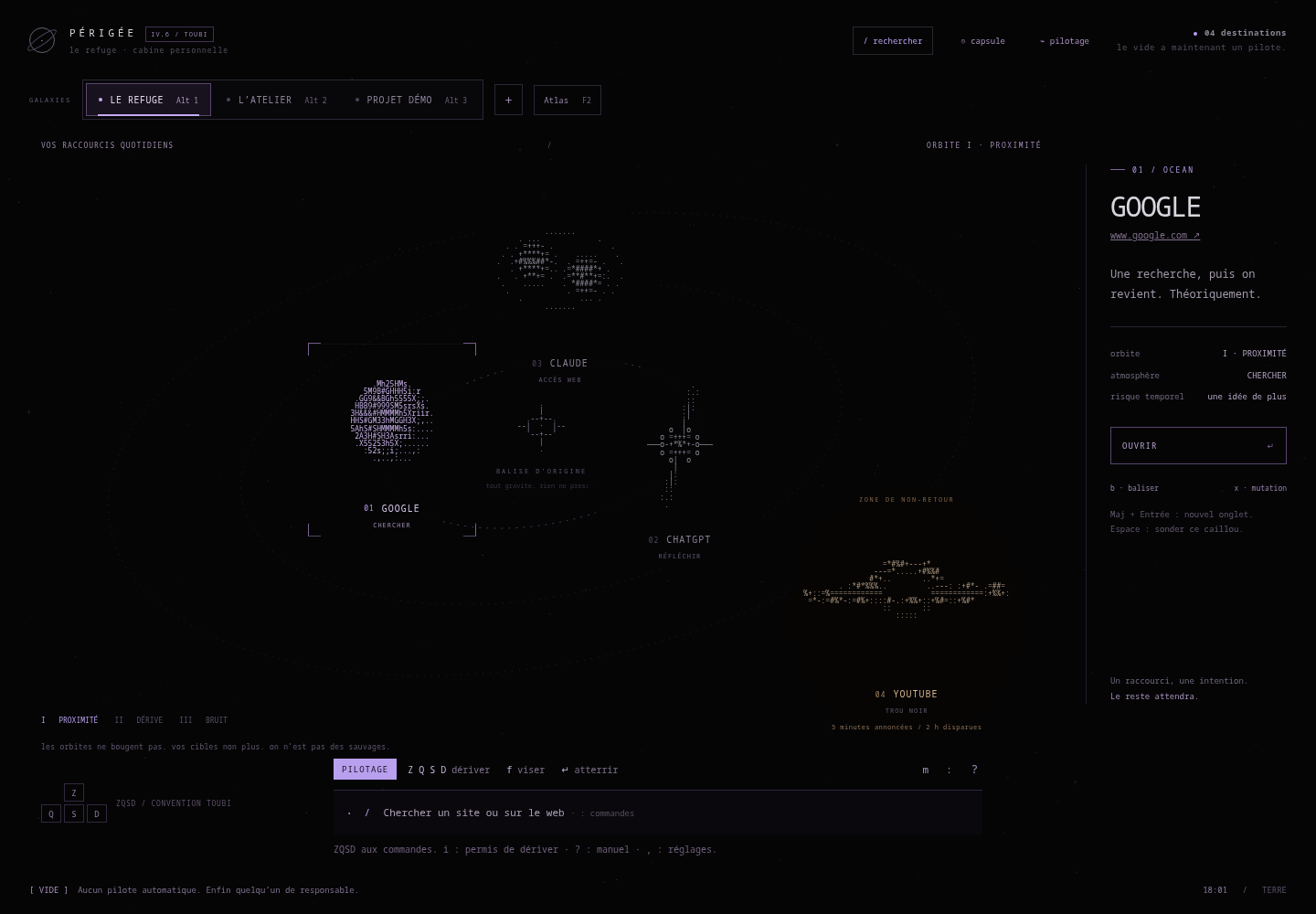
What if opening your browser felt like exploration? Destinations become celestial bodies, spaces to navigate with the keyboard.
See how it works ↓Interactive web prototype
An actual screenshot and an interactive prototype to explore.
01 / IN MOTION
Another way to inhabit a browser.
Step into Périgée.
Open the prototype here: explore the celestial bodies, switch galaxies and try keyboard navigation.
The interactive prototype is in French.
Open in a new tab ↗Screenshot of the standalone prototype with example destinations. Celestial bodies are shortcuts, not Firefox’s open tabs.
02 / The starting point
Give everyday destinations a geography.
A shortcut page can be useful and inviting. Périgée explores where a practical tool meets a visual universe.
03 / What it brings together
- 01Organise destinations across galaxies.
- 02Select and open celestial bodies with keyboard or mouse.
- 03Customise ASCII structures, routes and spaces.
04 / Under the interface
- The constraint
- Keep destinations easy to reach within a free-form visual layout.
- The decision
- Celestial bodies are drawn with characters in a web interface. Keyboard navigation supports arrow keys, ZQSD, WASD and HJKL.
Search, targeting labels and keyboard navigation keep destinations accessible within a free composition.
05 / What this explores
Keyboard navigation with a distinct visual identity.
Bring a strong visual identity together with keyboard navigation and everyday use. Graphic experimentation becomes a way to interact.
Project status & presentation scope
Experimental personal interface. Galaxies organise shortcuts; they do not isolate browser accounts, cookies or sessions.